In a usability session, you watch someone try to use a product, and your main job is to keep quiet. To moderate well, ask the person to think aloud, give them realistic tasks, let them struggle before you help, and write down where and why they got stuck. Most usability sessions go wrong because the moderator rescues too early or hints at the answer. Nielsen Norman Group calls thinking aloud "the single most valuable usability engineering method," a line Jakob Nielsen wrote in 1993 and still stands by (NN/g, "Thinking Aloud: The #1 Usability Tool").
Use this checklist to run one from start to finish.
Before the session
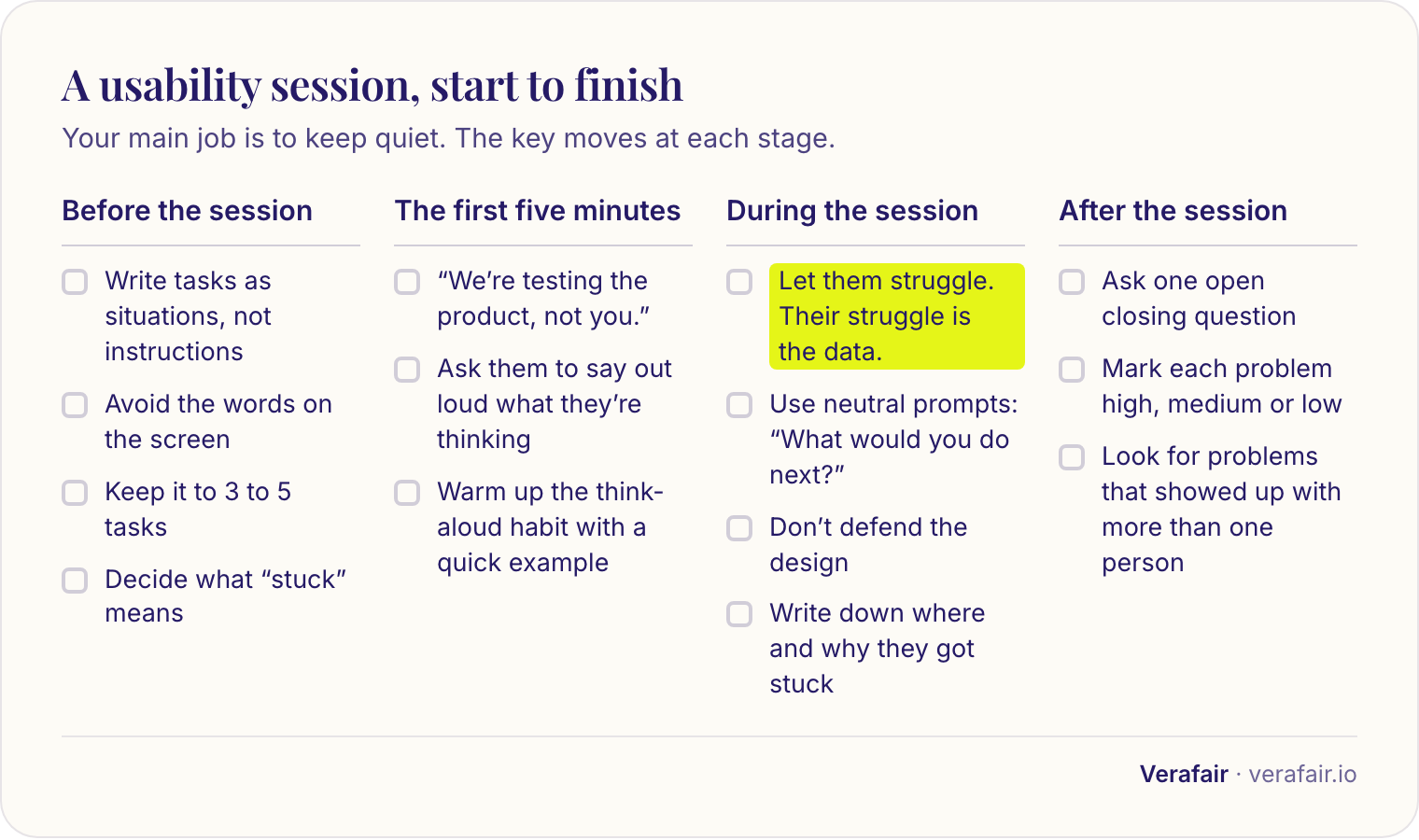
- Write tasks as situations, not instructions. Say "You want to see last month's invoices. Show me how you'd do that," not "Click Billing, then Invoices."
- Avoid the words on the screen. If your task uses the exact label of a button, you've given away the answer.
- Keep it to 3 to 5 tasks. Sessions run out of energy faster than you'd expect.
- Do one practice run with a colleague. You'll find broken tasks and awkward wording in minutes.
- Decide what "stuck" means. For example: more than a minute with no progress, or asking for help.
The first five minutes
Explain what's happening in plain, friendly words. Here is a script you can adapt:
"Thanks for doing this. We're testing the product, not you. There are no wrong answers, and if something's confusing, that's exactly what we want to find out. As you go, please say out loud what you're thinking, what you're looking at, and what you expect to happen. I might not answer questions right away, because I'm trying to see how it works without help. Is that okay?"
Then warm up the think-aloud habit with a quick example: "Try telling me what you see on this page, as if I couldn't see it."
During the session
Let them struggle. This is the hardest part and the most valuable. When someone gets stuck, wait. Count to ten if you have to. Their struggle is the data.
Use neutral prompts when they go quiet or you need to understand:
- "What are you thinking right now?"
- "What did you expect to happen there?"
- "What would you do next?"
- "Tell me what you're looking for."
Avoid these (and say this instead):
| Instead of... | Say... | Because |
|---|---|---|
| "Try clicking the menu." | "What would you do next?" | You're giving the answer |
| "Was that easy?" | "How did that go?" | A yes/no invites politeness |
| "Do you see the button?" | "Where would you look for that?" | You're pointing at it |
| "That's my fault, it's not clear." | (silence, then) "Tell me more." | Apologizing pushes them to reassure you |
| "You're doing great!" | "Thanks, that's helpful." | Praise tells them what "success" looks like |
Don't defend the design. If they criticize something, resist explaining it. "Thanks, tell me more about what you expected" gets you far more than "Well, actually it's designed to..."
What to write down
Don't just note whether they succeeded. Capture where they got stuck, why (what they expected, what they did), and what they said. A simple table works:
| Task | Where they got stuck | What they did / said | Why (your best guess) |
|---|---|---|---|
| Find last month's invoices | Main menu | Opened Settings, then Reports, then gave up: "I thought it'd be under my account" | Label doesn't match how they think about it |
The last column is the useful one. "They failed" tells you nothing. "They looked in Settings because they thought invoices belonged to their account" tells you what to change.
After the session
- Ask one open closing question: "Is there anything that surprised you or that we didn't cover?"
- Thank them, and say what happens next.
- Within a day, mark each problem as High (they couldn't finish or made a serious mistake), Medium (they finished but struggled), or Low (a small annoyance).
- Look for problems that showed up with more than one person. Those are your priorities.
Small habits that help
- Sit beside them, not across from them, or keep the camera friendly and calm.
- Don't nod at the right answers. Keep your reactions neutral.
- Take a breath before you speak. It helps you avoid rescuing.
- Record with permission, so you can watch the moments you can't recall.
Check your own calls
Moderating without hinting is hard to notice in the moment. Run your session transcript through Verafair and choose "Usability Session." It checks whether you got people thinking aloud, let them struggle before helping, and captured where and why things went wrong.
Frequently asked questions
What is a usability test? A usability test is a session where you watch someone try to complete realistic tasks with a product, to find where they struggle and why.
What does think-aloud mean? It means asking the person to say what they're looking at, thinking, and expecting as they go. It lets you see their reasoning, not just their clicks.
How many people do I need to test with? Even a handful of sessions will reveal the most common problems. Watch for issues that repeat across people.
When is it okay to step in? When they're truly stuck and frustrated, or when they've gone off track in a way that won't teach you more. Give it time first, and use a neutral prompt before any hint.
Should I test with a prototype or the real product? Either works. Just make sure the tasks are possible to complete with what you show them, and tell them if it's an unfinished version.